
Admissions
Online Admission Format
Step-by-step guide to complete online admission registration, document verification, fee payment, and approval for BCA and B.Com programmes at BIHE.
Step 01 : Student admissions steps.
Please follow the steps below for UG student candidate registration on the UUCMS portal.
UUCMS login link: https://uucms.karnataka.gov.in/Login/Index

New Candidate Registration
Fill and upload the relevant information.
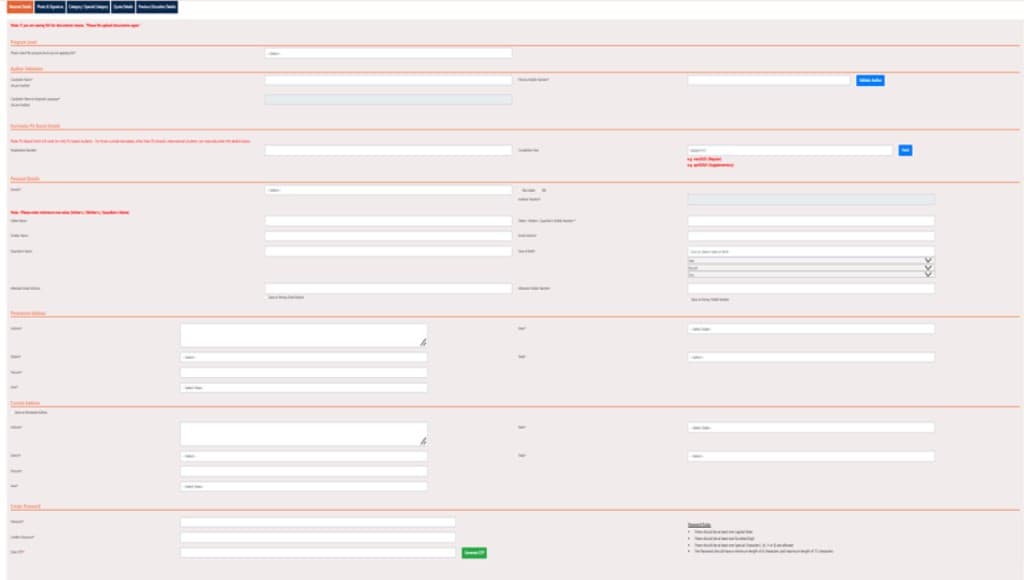
- Personal details.
- Photo & signature
- Category/special category.
- Quota Details,
- Previous Education Details
- Submit
Step 02: Student admission steps.
Please follow the steps below to student apply for UG application on the UUCMS portal.
UUCMS login link: https://uucms.karnataka.gov.in/Login/Index
- View application
- Select an academic year
- Select a program level
- Select a program name
- Select a discipline
- View
- Submit
Step 03: Admission Document Verification steps for UG students
Please follow the steps below to student document verification on UUCMS portal.
UUCMS login link: https://uucms.karnataka.gov.in/Login/Index
- College admin login
- Admissions
- Admission document verification (student invite & verify document)
- View student details
- Submit
Step 04: Admission fee pay steps for UG students.
Please follow the steps below to student document verification on UUCMS portal.
UUCMS login link: https://uucms.karnataka.gov.in/Login/Index
- UUCMS login
- Create a view application
- View existing application details
- Action
- Pay Fee (Online/Offline)
- Submit
Step 05: Admission Approval steps for UG students
Please follow the steps below to student document verification on UUCMS portal.
UUCMS login link: https://uucms.karnataka.gov.in/Login/Index
- College admin login
- Admissions
- Student Admission Approval
- Select Academic Year
- Select Seat Type.
- Select Program Level.
- Select Program Name.
- Select Discipline Name.
- View Student Details.
- Approve / Reject